Paper Generator
Create paper and parchment textures with natural fiber structure, aging, and stain effects.
Share this exact texture with anyone
How to Use Your Paper Generator Texture
CSS Background
Tile as a subtle CSS background at low opacity for blog and portfolio sites. Use background-color with a cream base (#faf8f0) behind the texture to maintain readability while adding organic warmth.
background: url('texturize_paper.png') repeat;
background-size: 256px 256px;
Blender
Use as Base Color on a Principled BSDF with Roughness set to 0.8-1.0 for matte paper. Enable Subsurface Scattering at 0.05 with a warm tint for realistic light behavior through thin paper sheets.
Unity & Unreal Engine
In Unity, use a Two-Sided shader for thin paper objects like scrolls and notes. In Unreal, enable Two Sided rendering and add slight translucency using the Thin Translucent shading model.
Photoshop & Figma
Layer beneath digital artwork in Photoshop with Multiply blend mode to add an authentic paper grain to illustrations. In Figma, set as a background fill at 50-80% opacity for stationery mockups.
Game Development
Use for scrolls, letters, books, and map props in RPG and adventure games. Create aged variants by adding yellow-brown edge tinting and fold-line creases to the base texture.
Architectural Visualization
Useful for wallpaper renders, framed art mockups, and stationery product visualizations. The subtle fiber texture adds realism to close-up shots of printed materials in scenes.
Print & Packaging
Perfect as a background for artisanal brand packaging, letterpress-style invitations, and vintage-themed printed materials. The natural fiber grain enhances the tactile quality of designs.
Social Media & Video
Use as a warm, understated backdrop for quote graphics, poetry posts, and stationery brand content. The organic texture softens digital designs and adds a handmade aesthetic.
Paper Generator Preset Gallery
Click any preset in the generator above to apply it instantly. Each variation is seamless and ready for download in 1024, 2048, or 4096 resolution.
Old Parchment
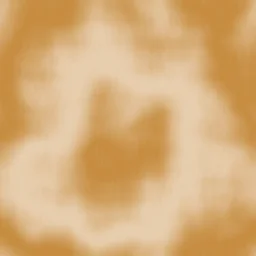
Heavily aged parchment with visible stains and yellowed tone throughout. Great for fantasy map backgrounds, vintage letter props, and antique document overlays.

Kraft Brown
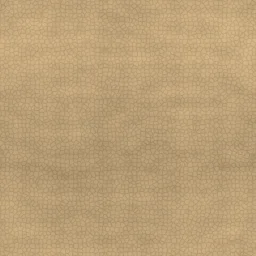
Warm brown craft paper with prominent fiber grain and slight aging. Ideal for eco-friendly packaging, natural product labels, and rustic gift wrap textures.

Cardboard
Dense corrugated cardboard with strong directional fibers and rough surface. Works well for shipping box textures, cardboard craft projects, and industrial packaging mockups.

Watercolor
Thick textured art paper with coarse fiber surface and subtle warm tone. Suited for watercolor painting backgrounds, art print mockups, and creative portfolio textures.

Clean White
Crisp white paper with minimal fiber texture and no aging. Perfect for document backgrounds, stationery mockups, and clean minimalist designs.

Rice Paper
Thin translucent paper with delicate fiber patterns and soft ivory tone. Perfect for Asian calligraphy backgrounds, tea packaging, and elegant translucent overlay effects.

Newsprint
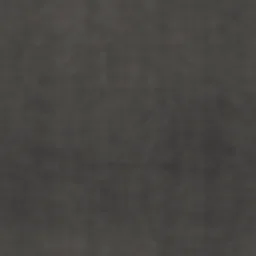
Fine dark dots with noise-driven size variation and angled grid for authenticity. Great for newspaper texture overlays, editorial mockups, and aged print effects.

Handmade Deckle
Rough handmade paper with visible fiber texture and soft deckle edges. Perfect for artisan stationery, letterpress print mockups, and fine art paper textures.

Manila Envelope
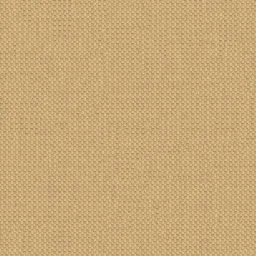
Classic tan manila paper with medium weight and smooth fiber direction. Suited for office document backgrounds, envelope mockups, and folder texture overlays.

Cotton Rag
Thick artist-grade cotton rag paper with a soft, warm white tone and dense fibers. Great for fine art print mockups, watercolor paper backgrounds, and archival document textures.
Paper Generator FAQ
Textures Made With This Generator
View all 10 textures →

Process Your Paper Generator Texture
Use our free browser-based tools to enhance, mix, and analyze your textures.
Texture Mixer
Blend this texture with another for unique combinations.
Make Seamless
Ensure perfect seamless tiling for any image.
Normal Map Generator
Generate normal maps from your texture for 3D and PBR workflows.
Color Palette Extractor
Extract the dominant colors from your texture.
All tools run in your browser — no uploads, no servers.
How the paper generator works
The algorithm
The paper generator layers three noise passes at different scales. A broad low-frequency layer defines the large-scale warmth variation that reads as paper tone. A mid-frequency FBM adds the subtle mottling characteristic of recycled and handmade papers. A very high-frequency noise pass — essentially white noise — simulates the individual fibres that create paper's faint texture. Optional overlays add deckled edges for handmade look, watermarks for printed stationery, and creasing for aged or folded paper.
What the parameters do
fiberDensity controls the high-frequency noise amplitude. warmth biases the base colour between bright white printer paper, cream writing paper, and warm brown kraft paper. texture blends in additional mid-frequency noise for heavier handmade looks. age adds a yellowing gradient overlay that simulates how light exposure darkens paper over decades.
What it's good for
Book cover design, stationery mockups, packaging design, vintage game art, UI backgrounds for notebook-style interfaces, and as a base layer under illustrations where you want organic warmth. Pairs exceptionally well with ink or watercolour overlays.
Practical tips
Pure white paper almost never reads as paper at full screen scale — people expect a slight cream warmth even from copier paper. If the output looks too clean, raise fiberDensity just a touch; a visible fibre layer is one of the key signals that distinguishes paper from generic off-white colour. For parchment, push age above 0.7 and drop warmth to deep cream.
Related Generators
Explore more free seamless texture generators with full customization and instant PNG download.