Texture Materials
Browse texture generators organized by material type — stone, natural, industrial, and digital materials.




Generators
50 procedural generators — create and download seamless textures in your browser.
View All MaterialsUnderstanding material families
Why four material buckets
The textures on Texturize span dozens of distinct physical materials, but for design work four broad families cover most practical decisions: Stone, Natural, Industrial, and Digital. Each family groups generators that share key rendering characteristics — how light interacts with the surface, what scale reads correctly, and which PBR parameters matter most. A texture's family tells you almost everything about how to light it and apply it before you even pick a specific pattern.
Stone and hard surface
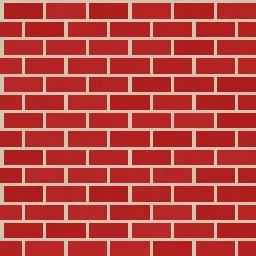
Marble, concrete, brick, tile, terrain, lava, rust. Hard-surface materials have low subsurface scattering (light bounces off, not through), moderate-to-low roughness depending on polish, and are structurally rigid. Scale matters: individual stones, bricks, or aggregate particles need enough pixels to read as distinct objects. At typical indoor-architectural scales, surface features should occupy 10 to 25 centimetres of the modelled space. Stone textures pair exceptionally well with displacement mapping in PBR workflows because the surface relief is real rather than implied.
Natural
Wood, leather, paper, fabric, scales, cloud, water. Natural materials exhibit organic irregularity and, in some cases, translucency or anisotropy. Wood has strong grain directionality — the UV axis matters. Fabric carries visible weave structure that reads only at close range. Water and clouds are best used as middle-distance surfaces or overlays rather than extreme close-ups. All natural materials benefit from subtle normal-map relief; most reward modest specular variation across the surface to break up uniform reflectance.
Industrial
Metal, carbon fibre, circuit, chain mail, rust, grid. Industrial materials are defined by regularity, machined precision, and — for metals specifically — anisotropic reflectance. Metal textures demand the metallic channel in PBR workflows; treating them as non-metals produces wrong-looking results regardless of how good the colour map is. Carbon fibre, chain mail, and diamond plate benefit from displacement or at least parallax occlusion mapping because their depth is structural rather than surface detail. Circuit and grid patterns often work at larger scales than their real-world counterparts since they read as decorative graphics at game-render distances.
Digital
Pattern, voronoi, gradient, halftone, plasma, fractal, glitch, stained glass, pixel art, geometric pattern. Digital materials do not correspond to physical surfaces and therefore have no canonical PBR parameter values — they are texture first and material second. They excel as backgrounds, overlays, UI decoration, textile prints, and any context where the visual signal is the point rather than simulation of a real-world surface. Treat them flexibly: crank up saturation for branded work, tone them down for subtle background use.
Mixing families in one composition
Most real-world renders mix two or three material families. Architectural visualisation pairs stone (walls, floors) with wood (furniture) and fabric (upholstery, drapery). Game environments stack stone (ground), natural (props), and industrial (metalwork). The trick is keeping the surface scales compatible — wood grain at 2 cm spacing next to brick at 30 cm spacing reads correctly; wood grain at 2 cm next to brick at 60 cm reveals the scale mismatch and breaks immersion.